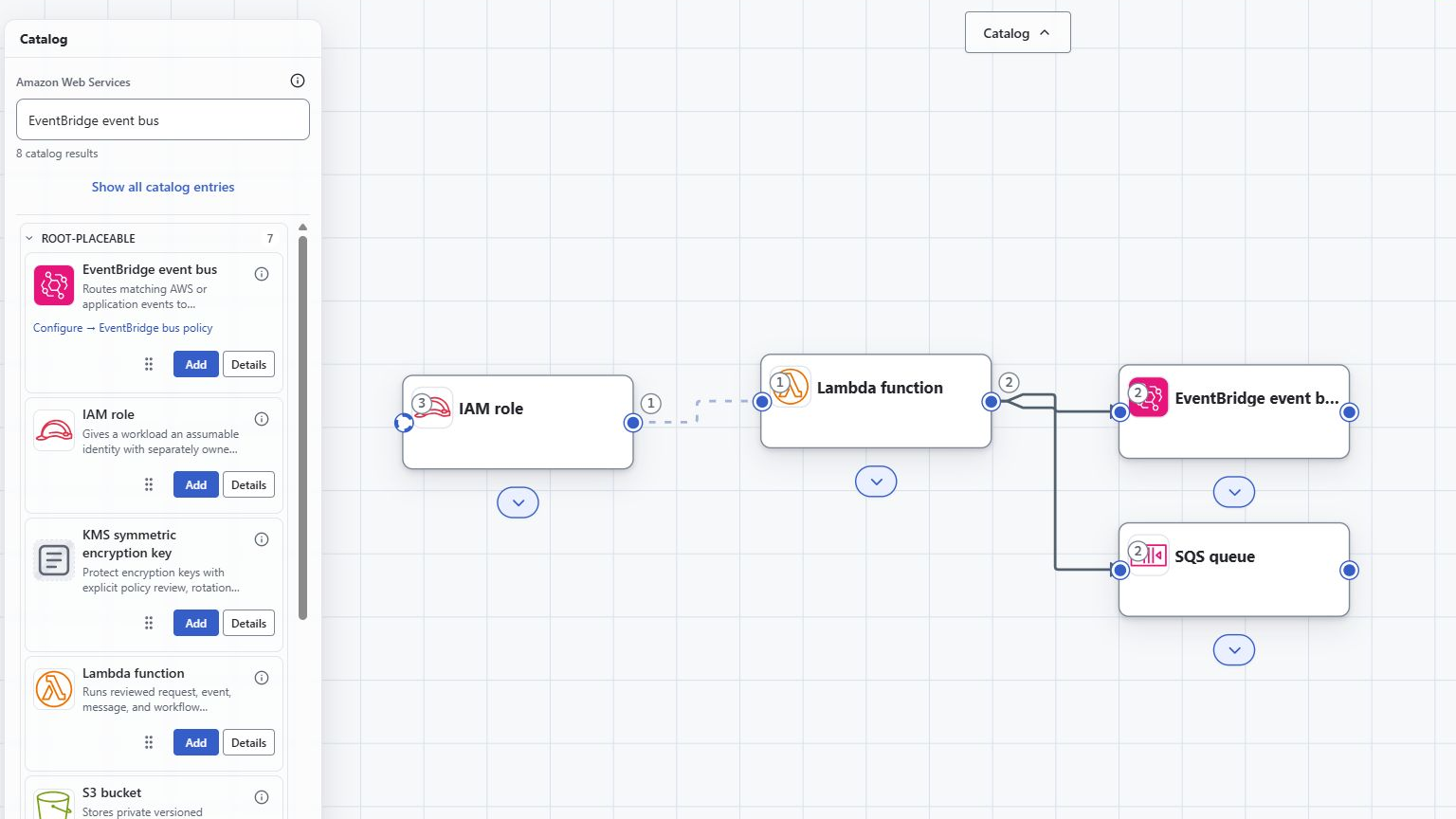
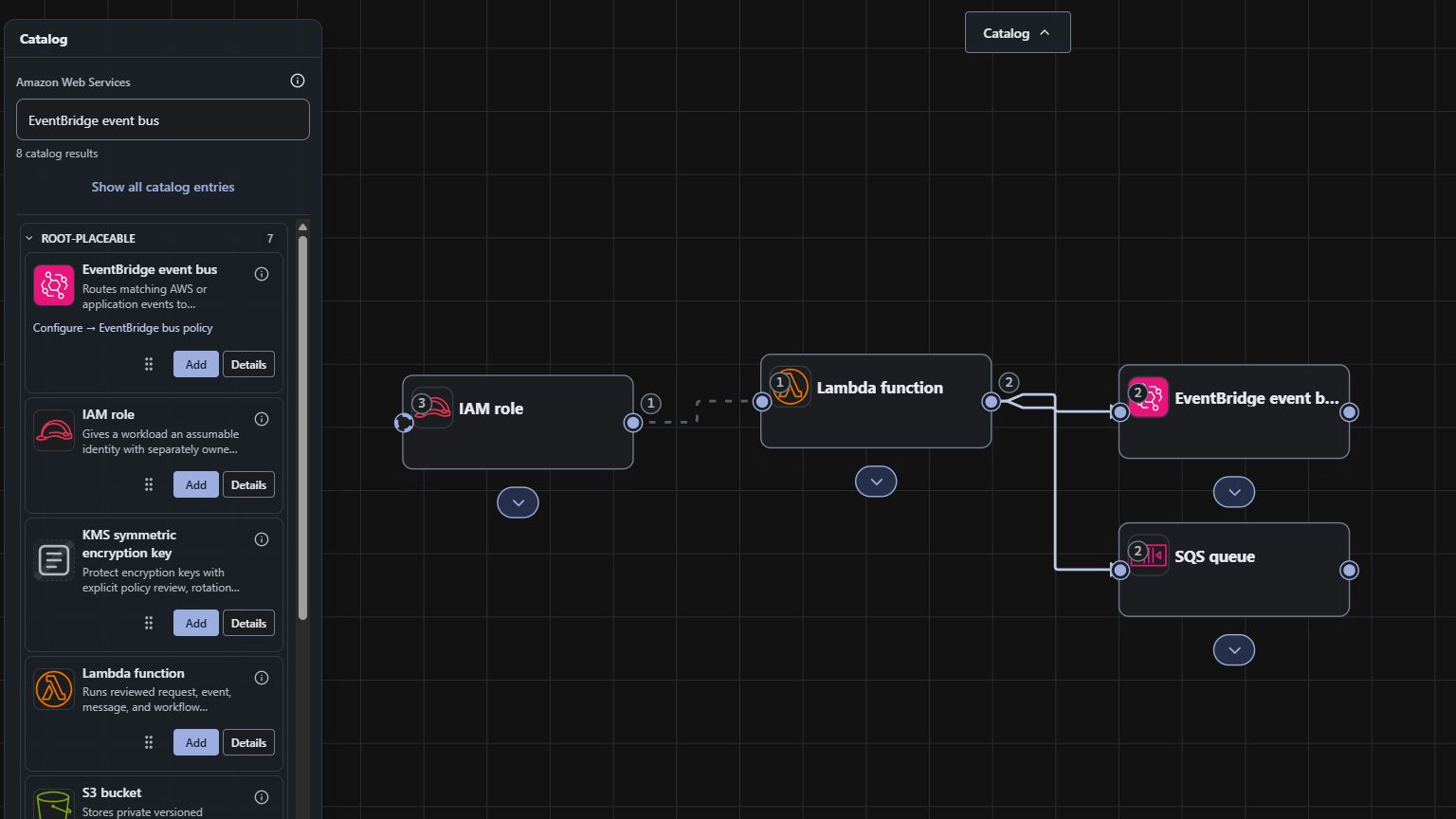
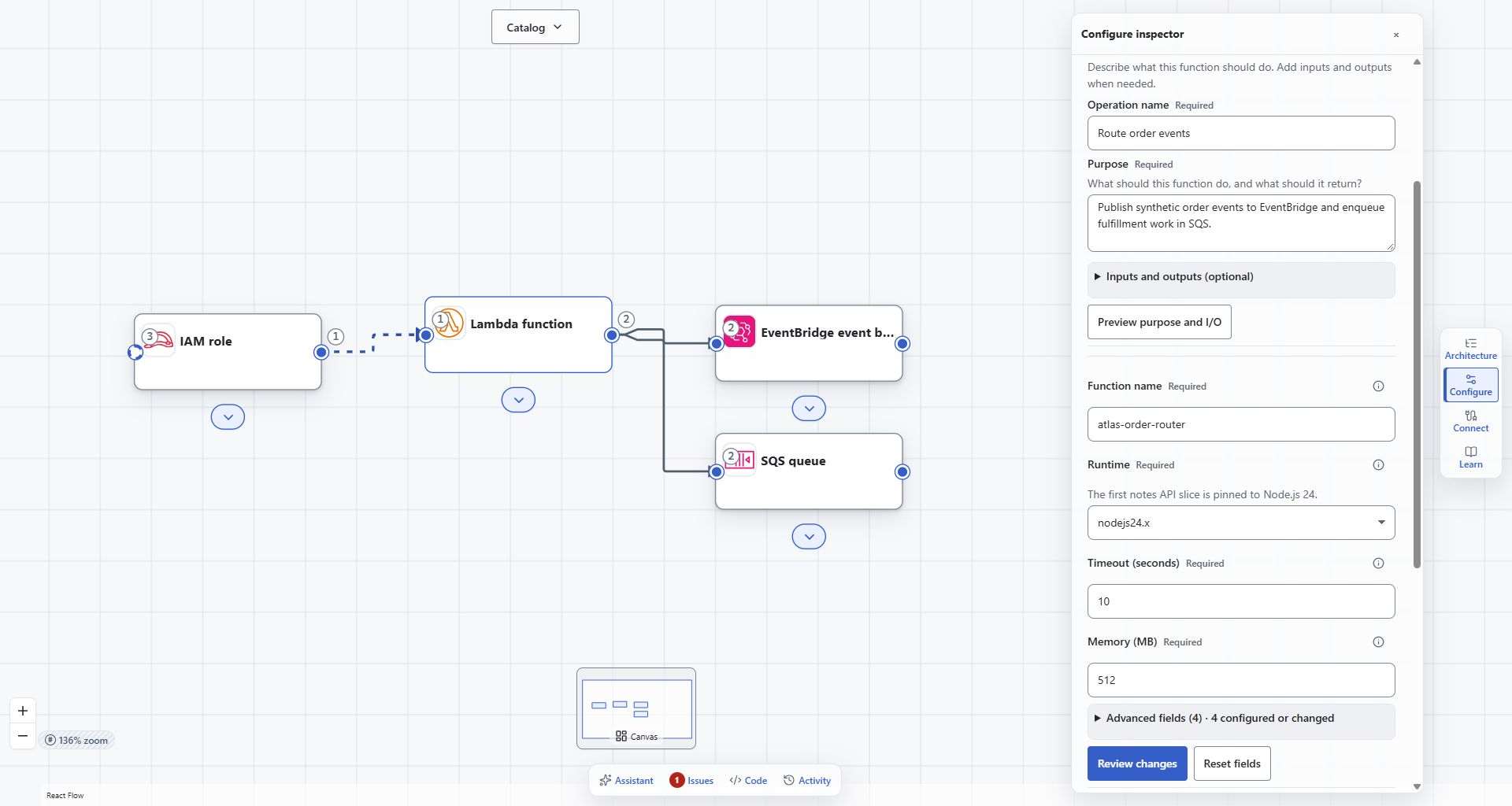
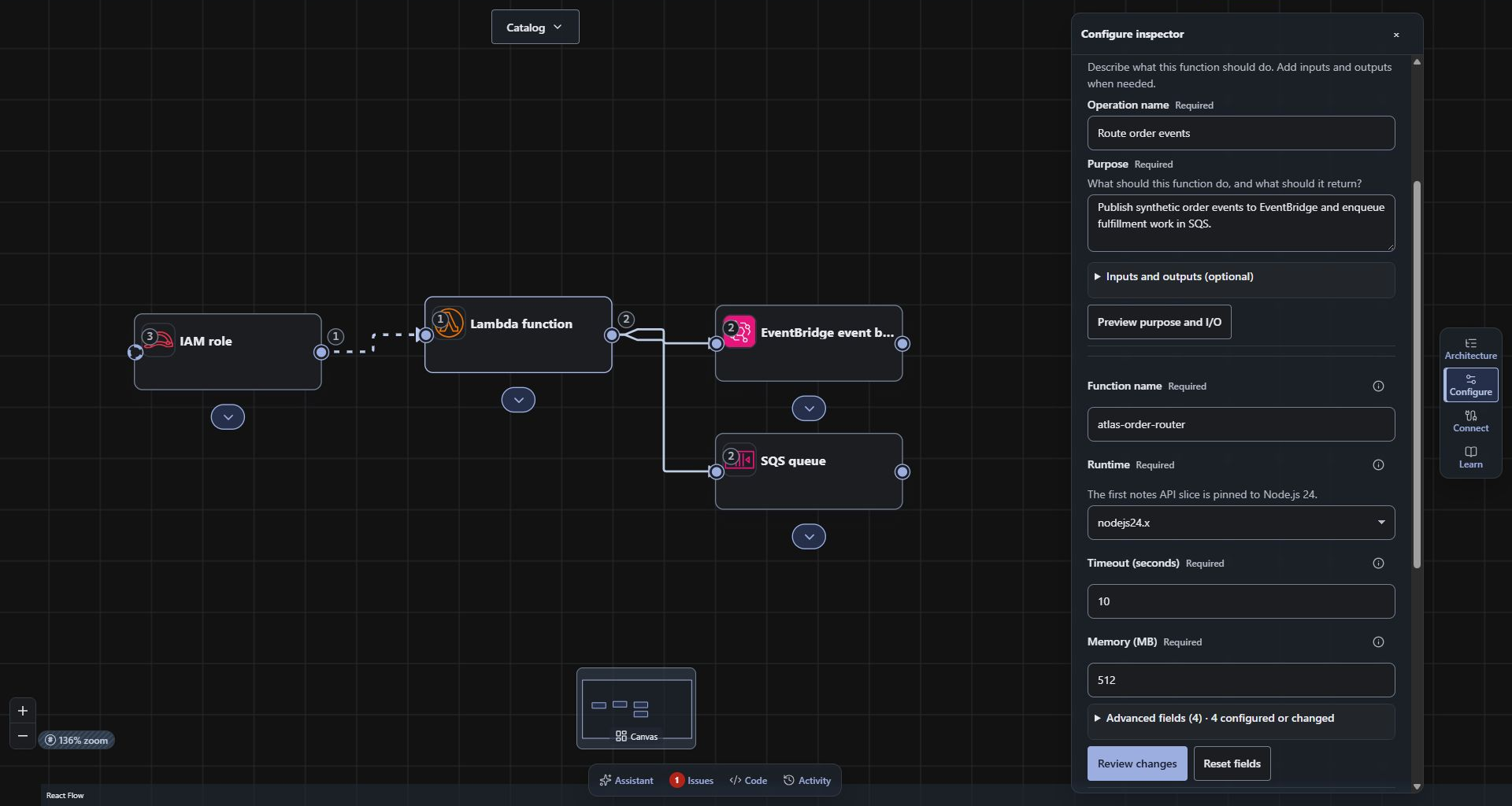
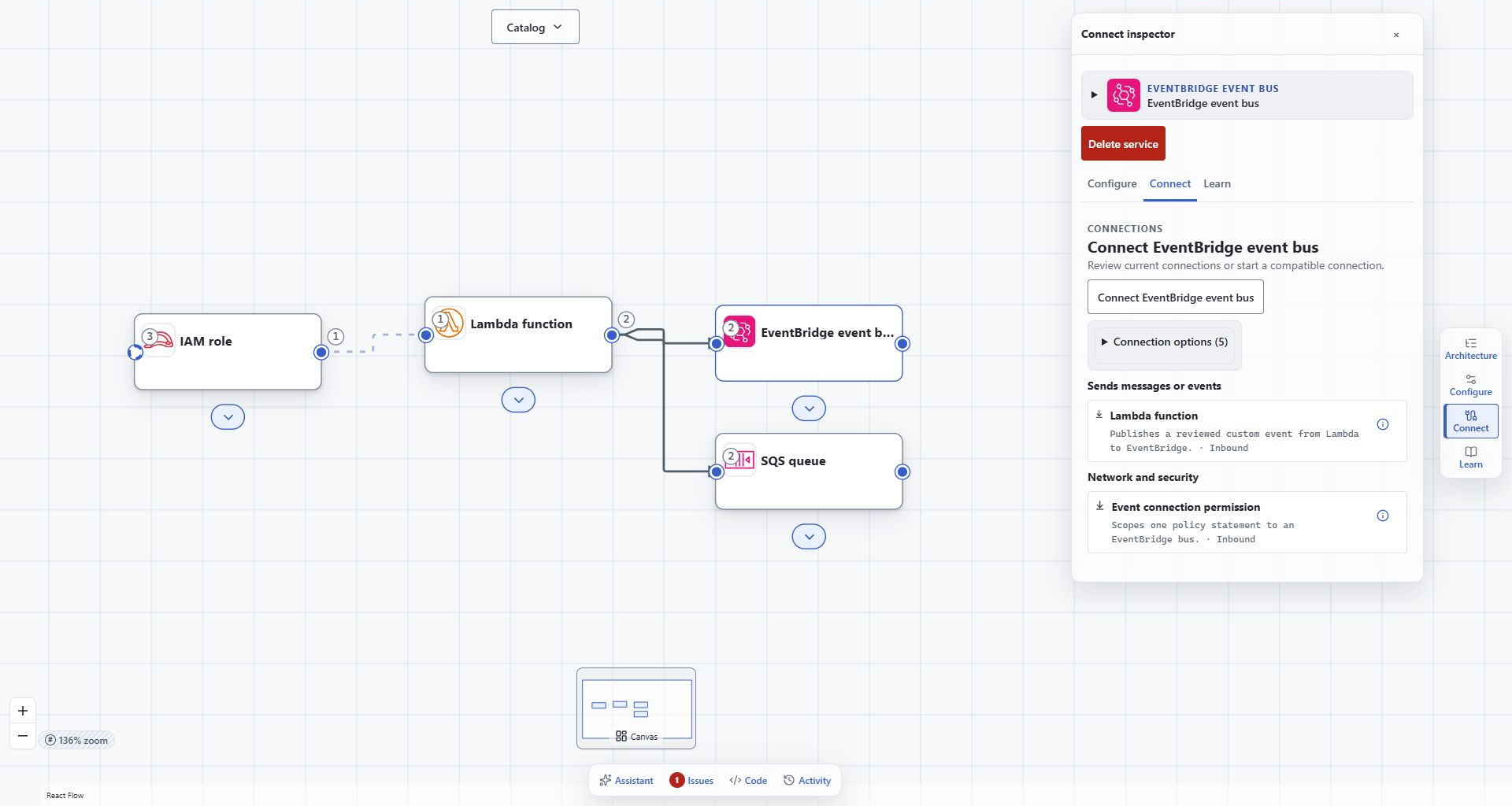
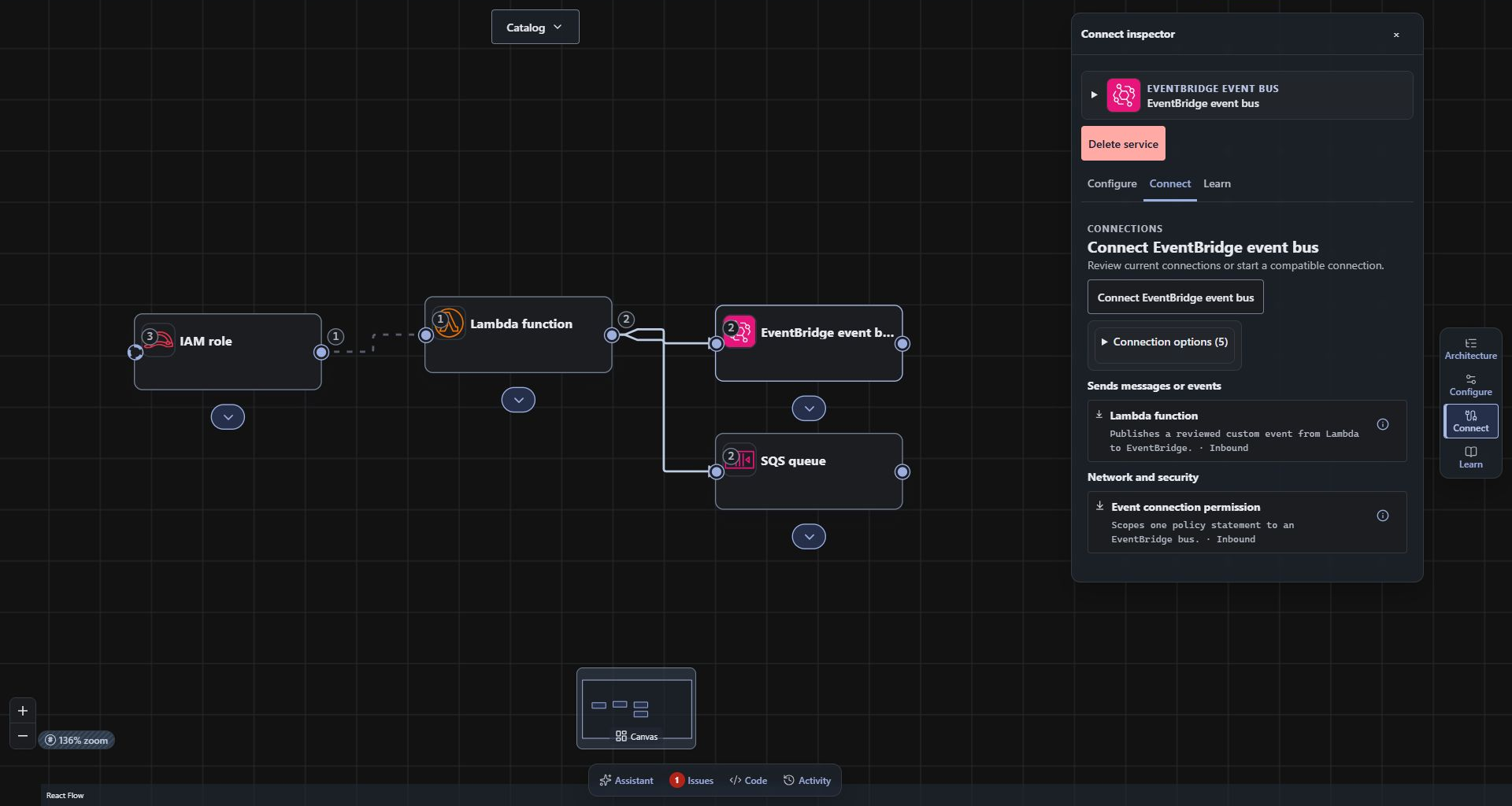
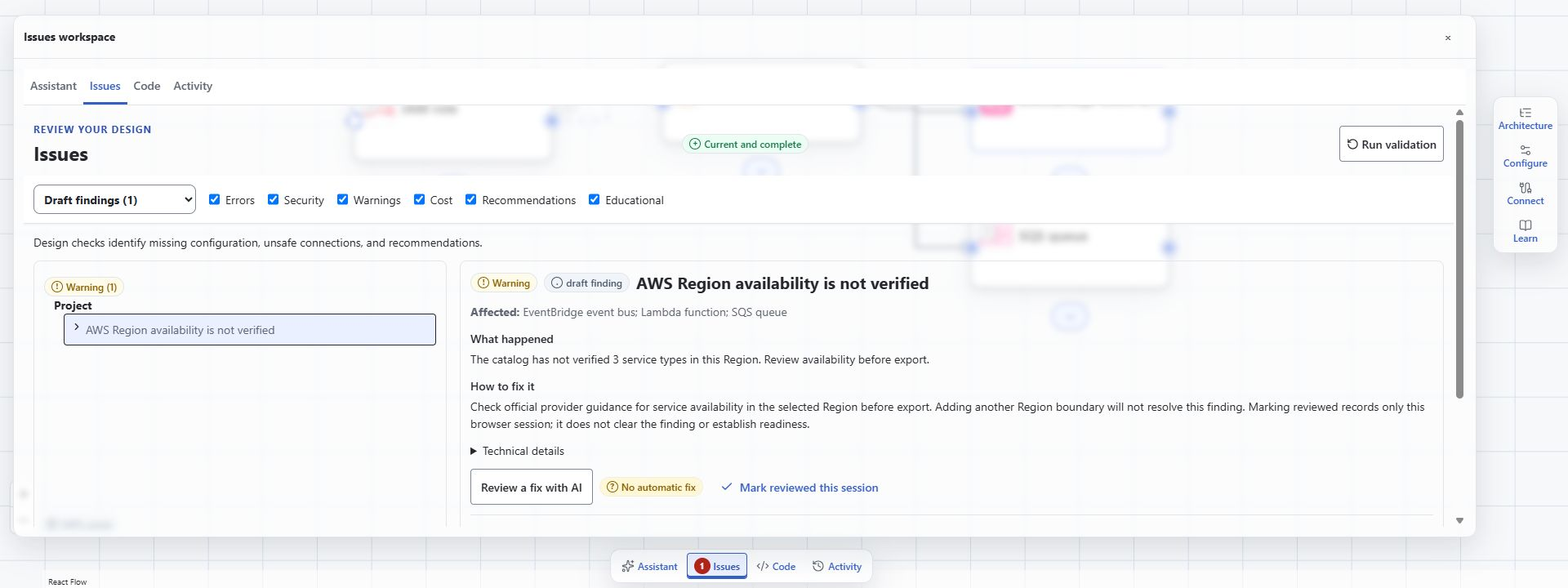
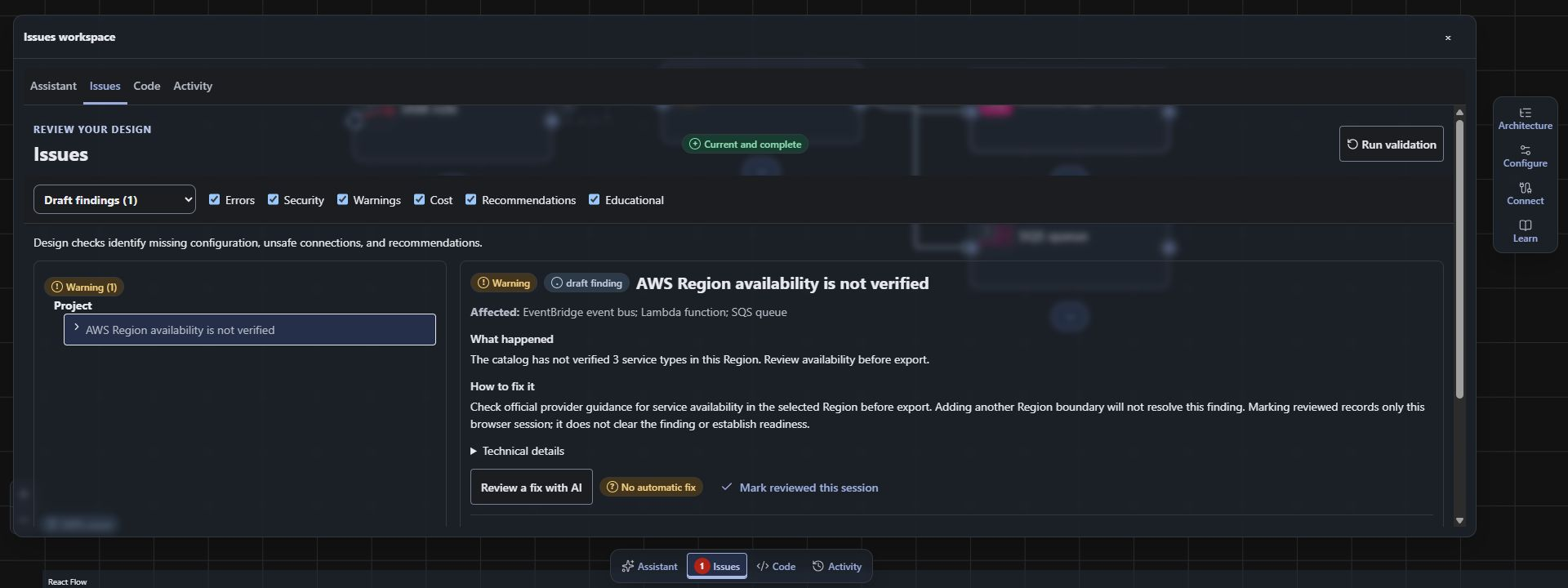
Distinct application views from the synthetic EventBridge Order Pipeline example. These are actual captures, with matching light and dark modes.
A closer look
Follow the decisions through the workspace.
Browse actual application captures at your own pace. Open a full-size image to inspect the details.
1 of 4 · Service catalog
Choose a view or use Previous and Next. Arrow keys browse while a tour control is focused.
01 / Service catalog
Choose the next piece with the model in view.
Find a supported service while keeping the architecture visible. This is the synthetic EventBridge Order Pipeline example.
Explore related services while keeping the architecture in view.Actual beta capture. The complete composition is preserved.Open full-size screenshot ↗
02 / Configuration
Keep the settings with the design.
Inspect the selected Lambda function and its runtime, timeout, memory and stated purpose alongside the architecture.
Configure each resource in the context of the architecture.Actual beta capture. The complete composition is preserved.Open full-size screenshot ↗
03 / Connections
Review what the relationship means.
Inspect the intended Lambda-to-EventBridge relationship and its supporting permission. The model records design intent.
Review typed relationships and their supporting permissions.Actual beta capture. The complete composition is preserved.Open full-size screenshot ↗
04 / Validation
Completion can leave an open question.
The run completed with a warning: AWS Region availability is not verified. Review the finding; completion does not establish deployment readiness.
Review validation findings, including regional availability warnings, before export.Actual beta capture. The complete composition is preserved.Open full-size screenshot ↗
Keep exploring
From a finding back to the decisions.
Review the configuration and connection highlights, or follow the six-step written workflow. Genuine feature recordings will be added when available.